Overview of Expense

Overview of Expense

In Zuper, users can easily upload and record expense receipts against a job. This feature enables seamless expense reporting, allowing you to specify whether the expenses are billable to your customer and reimbursable for your team.
Prerequisites:

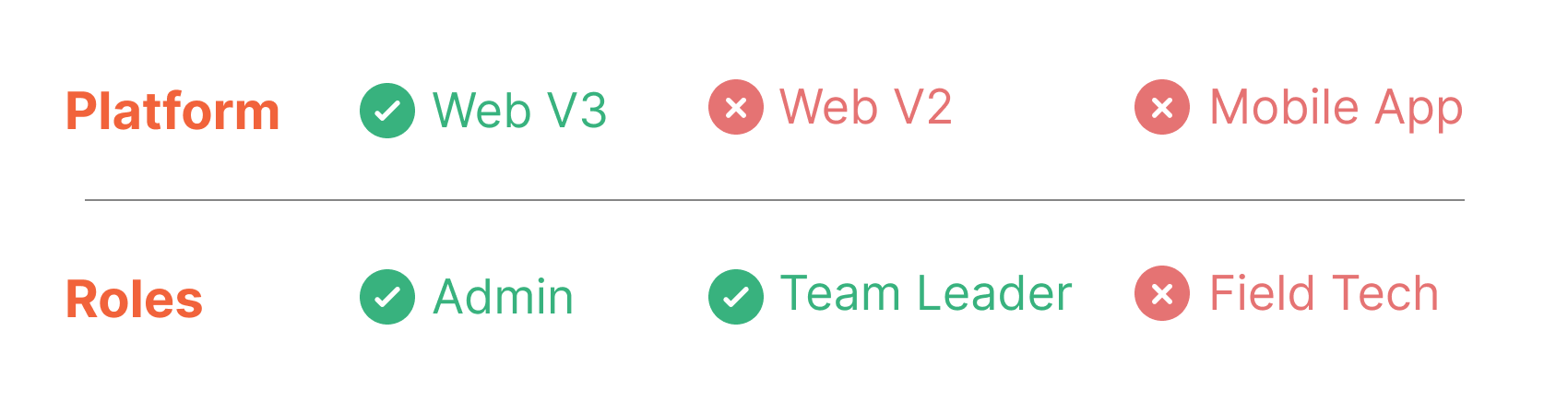
  1. Expense is only available on the V3 Web app. If you are using V2, you can get started with V3 using the link below. Your login credentials will be the same as those for V2:  V3 Live (Production) - https://web.zuperpro.com/login.   
  2. To enable the Expense for your account, please contact the account admin or email support@zuper.co.

User Roles and Permissions

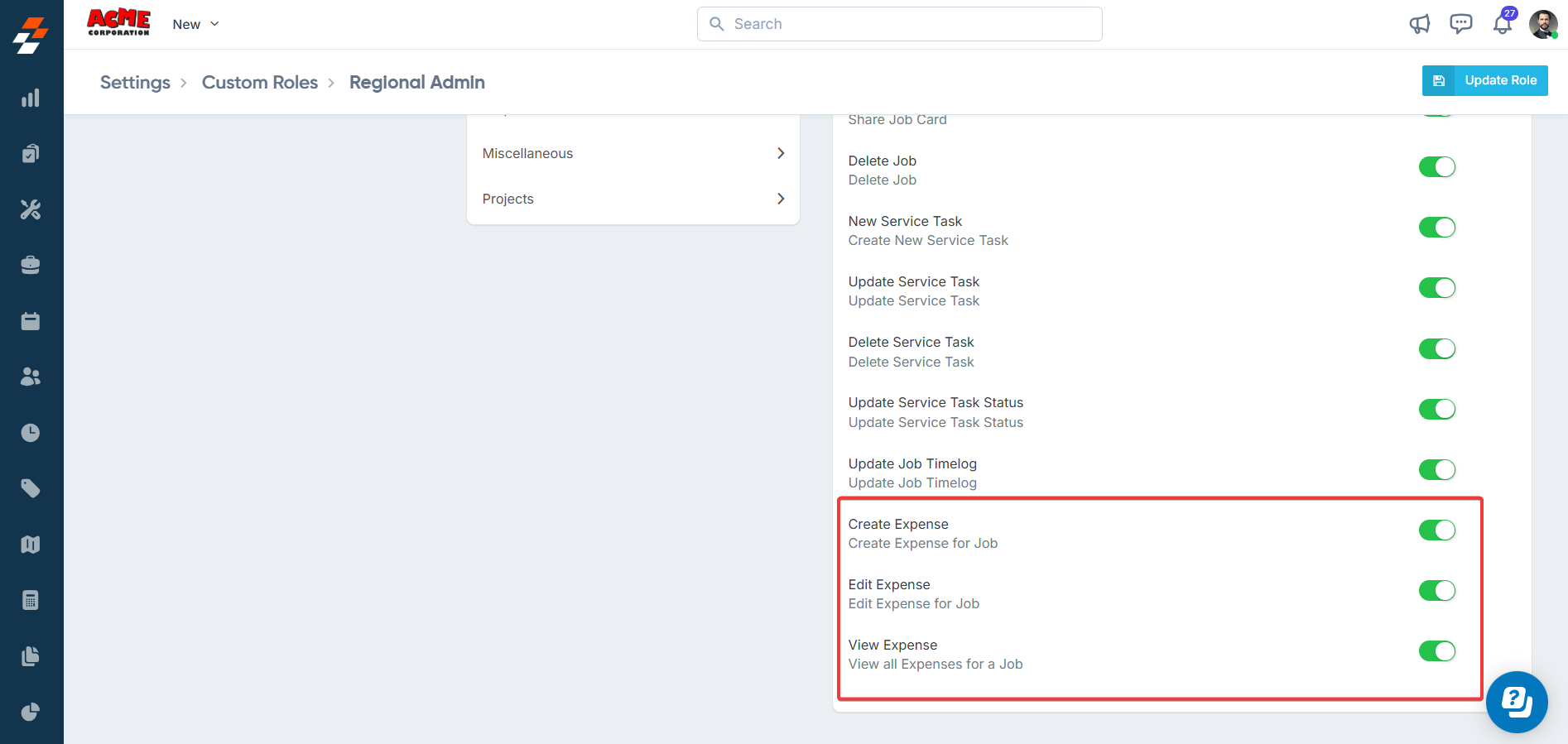
The actions a user can perform in the Expense feature are determined by their assigned custom roles and permissions. Permissions are set by the admin under Settings > Custom Role > Roles > Job and include:
  1. Create Expense
  2. Edit Expense
  3. Delete Expense
  4. View Expense

Admins can customize these permissions to meet organizational needs, ensuring appropriate access for each user role.
    • Related Articles

    • How to create, edit, and delete an expense category in the Zuper web app

      Creating an Expense Category Creating expense categories in Zuper streamlines expense management by enabling precise classification, efficient tracking, and accurate reporting. These categories help enforce your company policies, facilitate seamless ...
    • How to add expenses to a Job in the Zuper web app

      You can add expenses directly to a job, enhancing your ability to monitor costs effectively. With Zuper, you can easily upload receipt copies, specify if the expenses are reimbursable for your team, and accurately assign them to specific jobs. ...
    • How to add expenses to a Job in Zuper mobile app

      You can add expenses directly to a job, enhancing your ability to monitor costs effectively. With Zuper, you can easily upload receipt copies, specify if the expenses are reimbursable for your team, and accurately assign them to specific jobs. From ...
    • Overview of projects

      Projects allow field service providers to plan and manage undertakings that span over longer periods of time and involve multiple jobs, people and materials. Below are some of the key features in Projects: Phases, Milestones and Dependencies: Create ...
    • Overview of transfer orders

      A Transfer order is a formal document used to track and record the transfer of inventory from one location to another. With Transfer Orders in Zuper, you can: Track the status of a transfer Ensure accurate quantity updates in Source and Destination ...